Platform Walkthrough

Five modules, one connected workflow

From a member's first booking to an operator's monthly report, every step is handled within a single platform that keeps each module informed of the others.

Understanding the platform layer by layer

ClearSource AI operates as a unified data system where each module both contributes to and draws from a shared operational record. A booking is not just a calendar entry. It triggers access permissions, creates a billing event, and contributes to occupancy data. Below is a detailed look at how each module works and how they interact.

Module 01

Desk and Meeting Room Booking

The booking module begins with an interactive floor plan that reflects the physical layout of the co-working facility. Each bookable unit, whether a hot desk, a dedicated workstation, or a named meeting room, appears on the map with its current availability status.

Members select a unit, choose a date and time range, and confirm the booking through the portal. The system checks for conflicts in real time, so two members cannot reserve the same desk simultaneously. Operators configure the booking rules: minimum notice periods, maximum booking durations, advance booking windows, and which membership tiers can access which zones.

Confirmed bookings appear in both the member's personal calendar and the operator's management view. Modifications and cancellations are handled through the same interface, with configurable policies for late cancellations.

  • Interactive floor plan with live availability
  • Configurable booking rules per space type
  • Conflict prevention at the point of booking
  • Modification and cancellation workflows
  • Calendar integration for member convenience
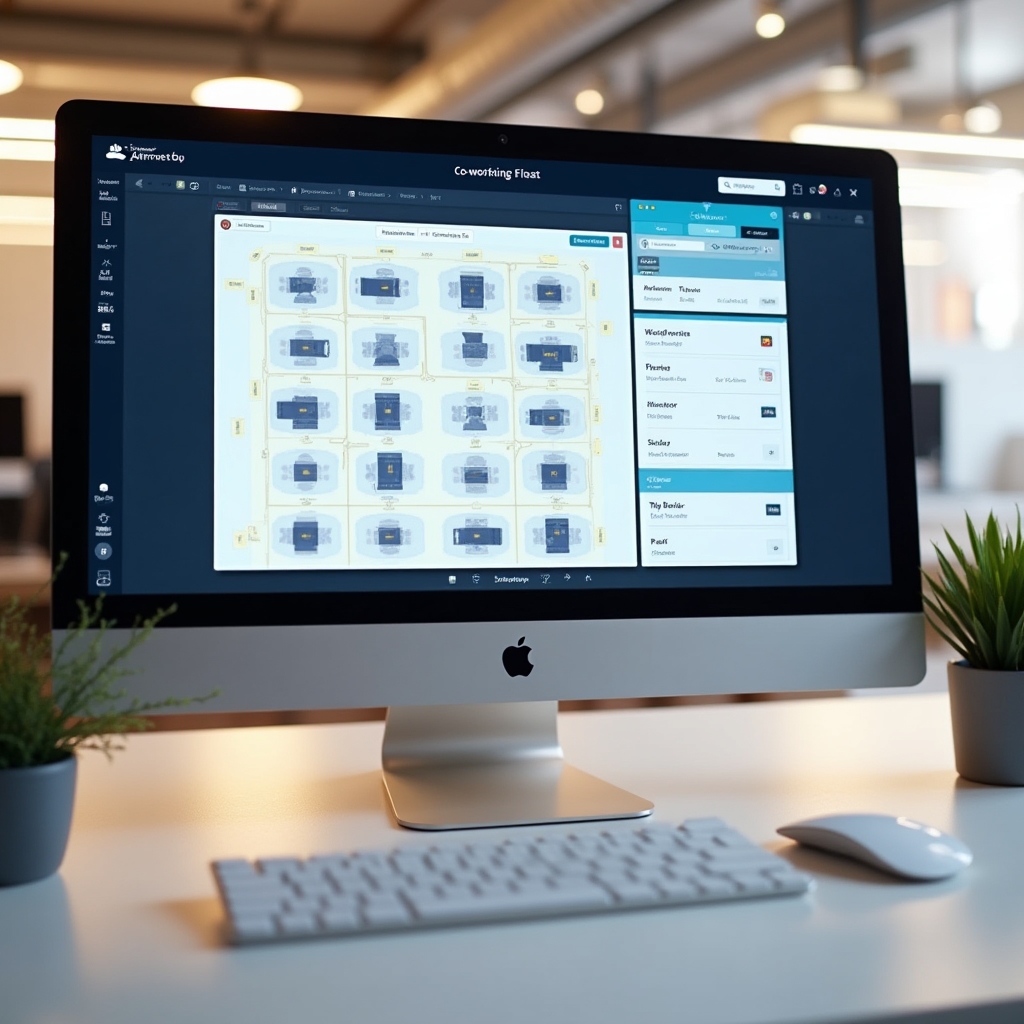
Desktop screen showing ClearSource AI booking interface with interactive floor plan, available desks highlighted, and booking confirmation panel on the right side
Module 02

QR Code Access Control

Modern co-working office entry point with QR reader mounted beside glass door, warm overhead lighting, member approaching with smartphone displaying QR code

When a booking is confirmed, the system generates a unique QR code linked to that specific booking record. The code encodes the member identity, the booked space identifier, and the valid time window. It cannot be used outside that window.

At the entry point, a compatible QR reader communicates with the ClearSource AI access control service. When a code is presented, the service validates it against the active booking record and returns an access decision within milliseconds. Valid codes trigger the door release. Invalid or expired codes are declined and the event is logged.

Every scan, whether successful or unsuccessful, is recorded with a timestamp and the identity of the code. Operators can view access logs in near real time and export them for security auditing. The system can also handle multi-zone facilities where different areas require different booking types.

Module 03

Automated Invoicing for Members

The billing module calculates charges from the booking record rather than from manual input. Every confirmed booking carries a pricing context: the rate for that space type, the membership tier of the member, and any applicable discounts. When the billing cycle closes, these records are compiled into a formatted invoice.

Operators configure billing cycles, payment terms, and pricing structures in the admin panel. The platform supports hourly, daily, and monthly plan structures. Operators can create custom membership tiers with distinct pricing for specific space types, enabling flexible commercial arrangements without complicating the billing logic.

Invoices are generated in a standard format and dispatched by email to the member. Payment status is tracked and visible on the operator dashboard. Overdue invoices trigger automated reminders at configurable intervals. The complete billing history for each member is accessible from their profile.

Pricing structures supported

Hourly

Pay-as-you-go for occasional users. Charged per booked hour based on space type.

Daily

Day passes for flexible members. Flat rate per calendar day regardless of hours used.

Monthly

Membership plans with bundled access to defined space types and quantities.

Custom Tiers

Operator-defined plans with specific rate tables, ideal for enterprise members.

Module 04

Occupancy Analytics Dashboard

The analytics module aggregates booking and access data to produce an operational picture of the space. The dashboard presents this information in a format designed for facility decisions rather than data exploration.

Core metrics include utilization rates by zone, peak demand windows across the week, revenue generated per space type, and membership tier distribution. Operators can apply date range filters to compare periods or identify seasonal patterns. The data updates in near real time during operating hours.

Beyond the standard dashboard, operators can export raw data in common formats for use in external reporting tools or financial systems. The analytics module does not require any separate data entry. It draws entirely from the booking and access records generated by normal platform use.

Dashboard signal categories

  • Space Utilization

    Percentage of available desk-hours that were booked and accessed, by zone and overall.

  • Peak Hour Analysis

    Which hours and days see the highest booking density, helping optimize staffing and opening hours.

  • Revenue Attribution

    Billing data broken down by space type, membership tier, and time period.

  • Member Activity

    Booking frequency and access patterns per member, supporting retention and engagement decisions.

Module 05

Community Communication Board

The community board is a structured space within the member portal for internal communication. Unlike external messaging tools, it is owned by the operator and visible only to members of that specific facility.

Members post within defined categories. Collaboration requests go in one place, event announcements in another. Member profiles display professional backgrounds and skill tags, making it straightforward for members to identify relevant colleagues. Operators pin important notices at the top of the board and can archive or remove content that falls outside community guidelines.

The board does not require any external platform subscription. It is included as part of the ClearSource AI member portal and accessible from both the web interface and mobile.

Integration

Connect with the tools you already use

ClearSource AI provides an API for connecting with calendar systems, payment processors, and property management software. Your existing workflow can stay largely intact.

Discuss Your Setup

Describe your current tools and we will explain what integration looks like for your configuration.